
AirDroid Parental Connector
SAND STUDIOParenting
3.48.00 Reviews
- Version
- 1.1.2.2
- Installs
- 100.00K
- Age Rating
- Everyone
Screenshots
Our Review of AirDroid Parental Connector
 Analysis by Appyee
Parenting apps often feel impressive during the first evening and less useful once family life returns to normal. AirDroid Parental Connector caught my attention because it approaches that problem from several practical angles at once: screen time, location tracking, and website filtering. Developed by SAND STUDIO, it is a free parenting app for Android and iOS households that want one place to support safer device habits rather than relying on a single restriction.
My first impression was that its value depends less on novelty than on whether parents are willing to set it up thoughtfully and keep checking it. The app is not a magic substitute for conversations with a child, and it cannot remove every source of worry. What it can do is turn vague concerns into visible routines: when a device is being used, where a child may be, and which online destinations should be limited. That makes it especially interesting for families who want practical oversight without immediately moving to the most aggressive form of monitoring.
What the first week feels like
The first week is when AirDroid Parental Connector feels most useful. Parents usually begin with a specific concern, such as a child staying on a phone too late, visiting unsuitable websites, or arriving home later than expected. Because the app combines these areas, I found it easier to think in terms of a family plan instead of collecting several unrelated tools.
The screen-time side is the natural starting point. Rather than making a broad promise to reduce phone use, I would begin with one or two clear periods that matter in daily life, such as homework or bedtime. That keeps the setup understandable for a child and gives the parent something concrete to review. A complicated set of rules can create arguments before the family has learned whether the rules are realistic.
Location tracking is more useful when it answers a defined question. For example, a parent may want a quick way to check whether a child has reached school or returned from an activity. Used that way, it can reduce unnecessary messages and provide reassurance. Used constantly, it can easily become a source of tension. I would explain why location is being used and agree on reasonable expectations before treating it as an invisible surveillance tool.
The website filter also benefits from a gradual approach. Filtering everything by default may sound safest, but it can interfere with legitimate school research or ordinary browsing. I would test the filter with the child’s usual activities and adjust it when a harmless page is blocked. That small amount of early maintenance is important because a filter that repeatedly gets in the way will encourage everyone to ignore the system.
One practical strength is the cross-platform intention behind the app. Families do not always use identical phones, and a parental-control setup becomes frustrating when it works well only inside one brand’s ecosystem. AirDroid Parental Connector is aimed at households that need oversight across platforms, which makes it more relevant than a tool designed around one device family. Still, cross-platform convenience should not be confused with effortless setup: every connected device and family routine still needs attention.
During the first week, I would also avoid changing several rules at once. If screen limits, location expectations, and website restrictions all change on the same day, it becomes difficult to tell what is helping and what is causing resistance. A better workflow is to establish the essential safety boundary first, observe the routine, and then refine the less urgent settings. This is one of the less obvious ways to get more from the app: treat it as a family adjustment process, not a switch that is either fully on or fully off.
AirDroid Parental Connector is rated for Everyone, which fits its role as a family-oriented utility rather than an entertainment product. It was released on February 27, 2025, and its current version is 1.1.2.2. Those details matter mainly because an early version can feel like a work in progress in everyday use. I would expect parents to spend some time learning the interface and checking that the selected rules match what the family actually needs.
A realistic school-day routine
Imagine a child leaving for school with a phone, attending an after-school activity, and returning home before dinner. A sensible routine would use location tracking for the journey and agreed check-in points, keep website filtering active throughout the day, and apply screen-time expectations during homework and bedtime. The parent does not need to open the app every few minutes. A quick check at the expected arrival time can provide reassurance, while a later review can show whether the evening routine is working.
The important detail is that each function has a different job. Location answers “where is the device or child in relation to the agreed routine?” Screen-time controls address “when should the device be put aside?” Website filtering addresses “which online destinations need an extra boundary?” Treating them as separate tools inside one family plan prevents the app from becoming a confusing collection of alerts.
Whether it still earns space after the novelty
After the first week, the main question changes. It is no longer whether the app can make parents feel more informed. The question is whether it continues to reduce friction month after month. In my view, its lasting value depends on three habits: reviewing rules when schedules change, discussing exceptions before they become conflicts, and using the information to guide conversations rather than simply punish behavior.
School holidays, exam periods, sports seasons, travel, and changes in independence can all make a fixed parental-control setup feel outdated. A screen-time limit that works during a normal school week may be unreasonable during a long journey. A location expectation that makes sense for a short walk may need to change when a child begins attending activities farther from home. The app can remain useful, but only if the parent treats its settings as living arrangements rather than permanent commands.
This is where many parental-control products lose their value. Parents install them during a moment of concern, configure strict rules, and then stop reviewing the results. The app remains on the phone but no longer reflects the family’s real schedule. AirDroid Parental Connector is better suited to parents who will make small, occasional adjustments. It is less suitable for anyone hoping to configure it once and forget it.
Its free price lowers the barrier to trying that approach. A parent can explore whether screen-time guidance, location tracking, and website filtering fit the household without adding a subscription decision to the first setup. That does not remove the time cost of configuration, but it makes experimentation easier. I would use the first month to test whether the app changes behavior or merely produces more notifications and arguments.
The app has reached over 100K installs and holds an average rating of 3.4 from around 278 ratings. I read that combination as a reason to keep expectations measured. There is enough adoption to show that the concept appeals to families, but the rating also suggests that the experience may not be equally smooth for everyone. I would not choose it solely because it combines several features; I would install it because those features match a specific problem in my household.
One useful long-term tactic is to create a review moment rather than checking randomly. Once a week, I would ask whether the rules helped with sleep, schoolwork, travel, or online safety. If a setting has not contributed to one of those goals, it may be unnecessary. This avoids a common maintenance trap in which every available control remains active simply because it exists.
Where the maintenance burden appears
The recurring work is not only technical. Parents must maintain the agreement around the app. A child may need to understand why a website was blocked, why a location check matters on a particular day, or why a screen limit changes at the weekend. Without that explanation, the app can feel like a hidden authority that interrupts ordinary life.
There is also a practical review burden. Website filters need occasional checking because legitimate pages can be caught by broad restrictions. Location tracking needs context because a delayed journey does not automatically mean a problem. Screen-time information needs interpretation because a long session could involve schoolwork, communication, or entertainment. The app gives parents useful categories, but the parent still has to decide what the information means.
I would keep the initial rules deliberately narrow and write down the reason for each one. For example, a bedtime limit should exist to protect sleep, not simply because a number looks strict. A location check should relate to a journey or safety arrangement. A website restriction should address a real concern. This makes later adjustments much easier and prevents the settings from becoming a pile of forgotten decisions.
Another good practice is to test the family workflow before depending on it during an important trip. If a parent plans to use location tracking while a child travels independently, the arrangement should be discussed and checked in advance. Likewise, a website filter should be tested during ordinary homework rather than discovered when an assignment is due. These are small steps, but they separate a dependable routine from a last-minute installation.
AirDroid Parental Connector requires Android 8.0 or later, so compatibility should be checked before planning a household around it. The requirement is not especially demanding for many current devices, but older phones can still be the weak point in a cross-platform setup. A parent should verify every relevant device rather than assuming that the newest phone in the family represents the whole household.
What may cause fatigue over time
The biggest risk is alert fatigue. If the app generates information about every small deviation, parents may begin opening it out of anxiety instead of using it for a clear purpose. That can make the child feel watched and leave the parent with more stress, not less. I prefer a small number of meaningful checks over constant attention to the dashboard.
There is also a trust trade-off. Location tracking can be reassuring for a younger child or a new independent journey, but an older child may see continuous monitoring as intrusive. The same feature can therefore be appropriate in one family and counterproductive in another. I would make the level of oversight part of an ongoing conversation and reduce it as responsibility grows, rather than treating maximum visibility as the permanent goal.
Website filtering can create a different kind of fatigue when it blocks something useful. Parents may be tempted to loosen the entire system after one frustrating incident, while children may interpret a blocked page as proof that the app is unfair. The better response is targeted adjustment: identify the legitimate need, change only what is necessary, and keep the original safety purpose intact.
Screen-time controls can also produce arguments if they are used without flexibility. A rigid cutoff during a family call, school project, or travel day can make the tool appear unreasonable. I would build exceptions into the family agreement, even if that means manually reviewing a rule from time to time. The goal is not to win every dispute; it is to help the child develop habits that eventually need less external control.
Families should also consider whether they need all three areas. If the only concern is bedtime phone use, a simpler built-in screen-time tool may be easier to maintain. If the main need is location sharing among adults, a dedicated location service may offer a cleaner experience. AirDroid Parental Connector makes more sense when screen habits, online boundaries, and location reassurance overlap in the same household.
My long-term verdict
After the novelty fades, I see AirDroid Parental Connector as a practical coordination tool rather than a complete parenting solution. Its strongest case is a family that wants cross-platform parental controls and is prepared to revisit its rules as children become more independent. Combining screen-time guidance, location tracking, and website filtering can reduce the need to juggle separate apps, especially when the household has several different devices.
Its weaker case is a parent looking for invisible, permanent control with no discussion and no maintenance. The app cannot decide which limits are fair, interpret every location change, or distinguish every useful page from every risky one without human judgment. The more aggressively it is used, the more likely it is to create resistance and notification fatigue.
For me, the lasting value comes from using it lightly but consistently. I would begin with one clear screen-time routine, one practical location use case, and a carefully observed website filter. I would then review whether each setting is still helping. That approach gives the app a chance to earn a permanent place instead of becoming another forgotten installation.
The average rating of 3.4 shows that interested parents should approach it with realistic expectations, and the free model makes a cautious trial reasonable. SAND STUDIO has positioned it for families who want a broad parenting toolkit, but broad coverage also means more decisions than a single-purpose utility. I would recommend it to parents who value a unified view and are willing to participate in the setup.
My recommendation is conditional but positive: try AirDroid Parental Connector if your family genuinely needs screen-time boundaries, location reassurance, and website filtering together. Start small, explain the rules, test the setup on ordinary days, and remove controls that no longer serve a purpose. If you want one simple limit or a single tracking function, a more focused alternative may be less tiring. If you want a flexible family routine that can grow and change, this app has a fair chance of earning its space beyond the first week.
Verdict
Strengths of AirDroid Parental Connector
- Links easily with the child’s AirDroid Kids account
- Supports remote camera and one-way audio monitoring
- Location tracking can help during outdoor activities
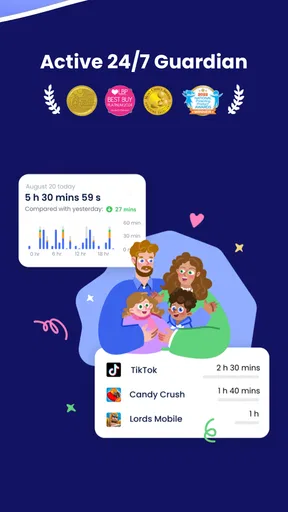
- Lets parents review app usage and screen-time patterns
- Useful companion for families managing multiple devices
Limitations of AirDroid Parental Connector
- Requires AirDroid Kids installed and configured on the child’s device
- Some monitoring features depend on Android permissions and system settings
- Remote controls may not work consistently after battery optimization
- Advanced functions may require a paid AirDroid subscription
- Continuous location and monitoring features can increase battery usage
Other Releases by SAND STUDIO
View All
AirDroid Parental Control
Parenting4.3
Similar Picks in This Category
View All
Family Space
Motorola Mobility LLC.3.9

شرطة الأطفال - مكالمة وهمية
Oub Apps4.1

Findmykids: Parental Control
LETEM LTD4.6

Pregnancy + | Tracker App
Philips Electronics UK Limited4.8

Policía de niños - para padres
Kids police4.7

Pregnancy App
Amila4.9
Frequently Asked Questions
What is AirDroid Parental Connector used for?
AirDroid Parental Connector is the companion application used to link a child’s Android device with AirDroid Parental Control. After installation, it helps parents manage supervision features such as screen-time schedules, app monitoring, device activity, and location-related tools, depending on the plan and permissions enabled. It is generally installed on the child’s device rather than used as the main parent dashboard.
How do I connect AirDroid Parental Connector to a parent account?
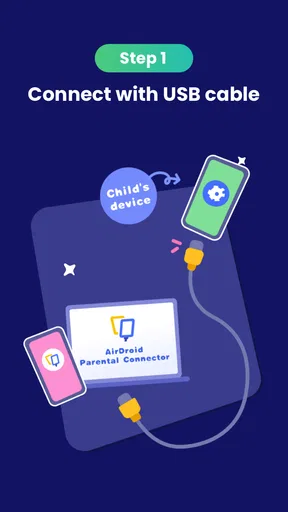
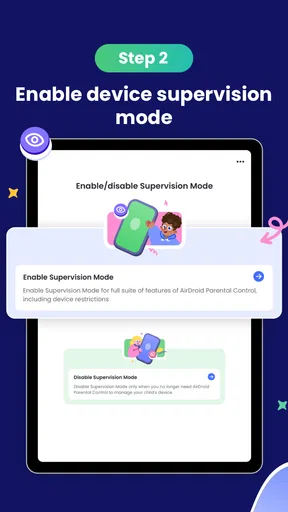
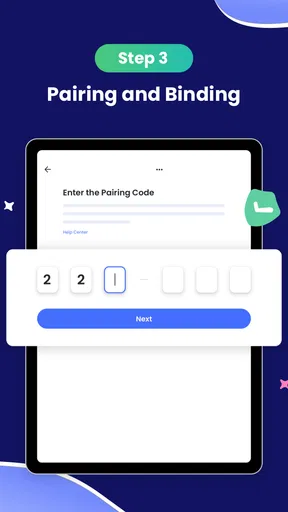
To connect the app, you normally need to install AirDroid Parental Control on the parent’s phone and AirDroid Parental Connector on the child’s device. Sign in or create the parent account, then follow the pairing instructions, which may involve scanning a QR code or entering a binding code. The devices must remain connected to the same account for supervision features to work correctly.
What permissions does AirDroid Parental Connector require?
The application may request several sensitive permissions, including accessibility access, usage access, notification access, location, and permission to display over other apps. These permissions allow parental-control functions to operate, such as monitoring usage, applying restrictions, or sharing location information. Before enabling them, parents should review each request carefully and explain the supervision setup clearly to the child.
Can a child uninstall or disable AirDroid Parental Connector?
The app is designed to make removal or disabling more difficult when parental-control protections are properly configured, but the exact behavior can depend on the Android version, device manufacturer, account settings, and permissions granted. Parents should complete the setup instructions carefully and check the parent dashboard regularly. No parental-control tool should be treated as completely impossible to bypass.
Is AirDroid Parental Connector free to use?
Downloading the connector application is generally free, but it works together with AirDroid Parental Control, where some advanced functions may require a subscription or in-app purchase. Available features and pricing can vary by region and platform. Before subscribing, check the current listing and plan details, especially if you need location history, extended activity reports, or more than one supervised device.
